Four AI-powered tools to automate, manage, capture and assess — everything your business needs to go fully digital, fast.
Rapid Workflow speeds up your business process automation by enhancing system collaboration and customer and employee experiences across your organisation.
Fast-track automation with pre-built accelerators and an intuitive RAD platform — go from idea to live workflow in days, not months.
Multi-level approvals, escalation rules, delegation and full audit trails — all the governance controls enterprises need, right out of the box.
AJAX-ready forms give users a fluid, real-time experience on any device — desktop, tablet or mobile — with no browser refresh required.

Watch our full platform walkthrough to see how RapidXflow handles real-world business workflows — from form design and multi-level approvals to reporting, escalation and delegation.
You can quickly design and activate business workflows that improve your work efficiency and productivity. Allows you to create workflows visually via drag and drop, and then attach them to data entry forms, so that filled-up forms can be routed to different levels of staff for approval.
Companies often set 'sign-off limits' for managers with different levels of authority. Adding higher approvals that depend on how much money is involved makes it possible to use a single approval process for a wider range of approvals.
The views designer is a rich toolset that allows you to visualise your data in different formats. Once data has been entered through a form, it can be visualised using Tabular, Calendar, Chart, Report and Tree Map views.
End-users and project team members can check the status of a particular submission visually. Users can check the full history of a submission to see everything that has happened at each stage.
Ability to monitor the status of workflows that you are granted permission to access, view and modify details for a workflow, and generate comprehensive reports.
Audit trail capability that allows you to keep a traceable record of all actions that are performed within your system, with real-time email notifications at every workflow step.
Tasks that are left for too long without any action will prompt email reminders to be sent automatically to the responsible party, ensuring nothing falls through the cracks.
Tasks that have surpassed their deadline can be auto-escalated to another person, ensuring that time-sensitive workflows are never left unattended.
Users who know they will be unavailable during a certain time period can create out-of-office rules. The workflow will be intelligent enough to automatically route all tasks to a delegate assigned by the user.
Reduce process bottlenecks immediately with pre-built accelerators for common workflows — no build-from-scratch required.
Online leave application system for employees and management to apply, approve and track all leave types — annual, medical and more — from any device.
Streamlined claims management for mileage, business purchases and expenses. Quick, transparent and standardised to reduce disputes and processing time.
Replace weeks-long manual permit applications with electronic submission via eForms and workflow routing. All permit data and communications in one digital place.
Systematically handle, sort and distribute incoming office correspondence — ensuring all mail is processed and routed without delay.
Manage employee onboarding, exit interviews and HR workflows digitally. Gather electronic signatures, complete paperwork faster and set up new hires in advance.
Extend process logic beyond default functionality with our powerful code editor — customise application UI and workflows to fit any business requirement.
An advanced document management system ideal for managing large volumes of enterprise information — available on cloud or on-premise with powerful search and granular access controls.

Search non-searchable PDFs by their actual content using built-in Optical Character Recognition — find any document instantly.
Restrict cabinet creation, viewing, printing, email and file operations by individual user or group — full administrator control.
Create custom indexes per cabinet with fields like Name, ID number and Document Date — rearrange and modify as requirements change.
Retain all document revisions with unique version numbers. Set retention periods by document type to meet compliance requirements.
Build document approval workflows visually. When a form is submitted it travels automatically to pre-defined users, with email notifications at every step.
Share archived documents via email or a secure direct link. Sharing functions can be restricted by administrators per user or group.
FingerTips has a built-in audit-logging feature that records the history of events and activities. This data is saved as a comprehensive activity log and tracks all user activities — check-in, checkout, download, rename, copy, move, email and more.
Users can create a custom index for Cabinets for easy searching. When uploading a document, set values such as Name, ID number, Document Date etc. These profile values can be modified and rearranged as required.
Users can be restricted based on functions that can be performed. Administrators can create users by individuals or in groups, giving the same permissions to many users at once — restricting creating, deleting, printing, email, renaming or deleting files.
Users are able to customise report generation by choosing any custom or standard fields needed to filter. This allows fully customised reports based on user preferences.
A Windows-like interface makes FingerTips easy to use and user-friendly with right-click functions. Access your documents anywhere from your PC, tablet or laptop — at the end of your fingertip.
Maintain documents and records relating to several years in the system. Retention policies specify for how long documents of each type should be retained to meet compliance requirements.
Search back documents already archived in FingerTips using multiple search options. With multiple search options available, finding back documents is super easy.
Share archived documents through email or directly share the document link to other users. The Share File and Email functions can be restricted to users if needed by the administrator.
A powerful search engine is built into FingerTips. Thanks to Optical Character Recognition (OCR) technology, searching using the content of any document is possible — even non-searchable PDFs become fully searchable.
Some documents go through many revisions before they are finalised. FingerTips retains each version with a unique version number. Users can also download any version as a copy.
FT Capture OCR/PDF/OMR module provides powerful features for converting images to standard text formats, creating PDFs, and Optical Mark Recognition. Includes Zone OCR on structured and unstructured documents and much more.
Create workflows visually via drag-and-drop — configure detailed settings for each step. Connect multiple activities using arrows to create looping actions. When a form is submitted it travels the attached workflow to pre-defined users with email notifications at every step.
Enhance document management by automating the import of documents from external applications, MFPs and third-party systems.
Middleware to migrate documents from third-party solutions, input folders and external sources into RapidXdms. Configurable for OCR, barcode splitting and data lookup.
Integrated with Konica Minolta MFP Copiers — scan directly into designated cabinets and folders, with on-device indexing capability.
Collects documents at Konica Minolta MFPs and delivers them with indexes to SharePoint, EMC AX, DocNet and other third-party business applications automatically.
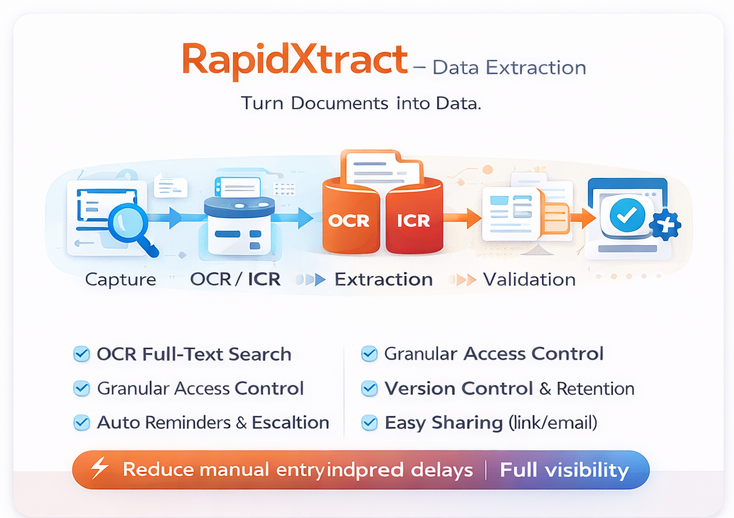
Turn documents, databases and email data into actionable information — automatically extracted, classified and validated with human-level accuracy. Supports 50+ ECM/DMS integrations.
Integrates with direct connect scanners, MFPs, hot folders, SharePoint, RightFax and FTP/SFTP servers — interactive or fully automated import.
Converts scanned images to meaningful, searchable text. Extracts document metadata and creates searchable PDFs with high accuracy.
Extracts metadata from documents containing hand-printed information. Auto-populates fields from rubber-banded handwritten text zones.
Applies scripting or pattern-matching logic to metadata for greater accuracy. Virtually eliminates hand-keying and increases speed of metadata capture.
Intelligently classifies forms and documents using OCR and ADE. Auto-extracts complex data structures from disparate document formats.
Routes extracted documents and data to over 50 ECM and DMS systems. Place the same batch in multiple repositories without reprocessing.
Ideal for distributed teams. Web-based secure processing from anywhere — queue documents, validate extracted data and route to ECM systems remotely.
An all-in-one digital assessment platform — everything educators and organisations need to create, deliver, mark and analyse assessments. Backed by 40+ years of eLearning expertise.
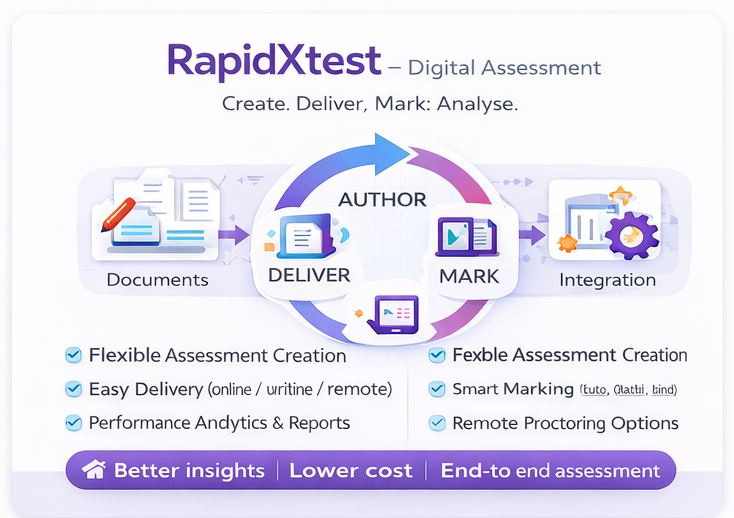
Create any type of assessment and deliver it with ease in a few simple steps.
When it comes to test integrity, our clients have their own ideas. Rather than offer just one proctoring style, RapidXtest allows clients to select the level that best fits their needs.

Hold all of your formal exams in professional assessment environments with full control over the exam experience.

A Global Invigilation Solution that emulates the role of an on-site proctor, safeguarding the integrity of assessments.

Test students' practical skills and techniques in laboratory, clinical or field settings — individually, in pairs or small groups.

Manage and monitor practical exams remotely with our robust and flexible Global Invigilation Solution.

Run computer-based examinations in remote areas even without a reliable internet connection available.
Employee training, compliance testing and skills assessment at scale.
From formative quizzes to high-stakes final examinations.
Secure, auditable assessments for public service certifications and recruitment.
RapidXtest (powered by Elumina's Assess App) is an all-in-one digital assessment platform hosted in the cloud. It provides everything educators need to manage assessments in one simple platform, removing the need for fragmented apps and systems.
We are dedicated to helping organisations create better eLearning solutions and solve the most critical challenge: achieving ROI. We use 40+ years of eLearning expertise to introduce superior solutions like RapidXtest.
Online assessments are highly interactive and customisable with various modules. They are easier and faster to evaluate, mark and provide access to comprehensive reporting anytime you need it.
Rather than offer just one proctoring style, RapidXtest allows clients to select the level that best fits their needs — from on-site computer venues to fully remote AI-proctored exams with live invigilation.
Yes. RapidXtest supports Remote Offline Assessment — allowing computer-based examinations to be run in remote areas even without a reliable internet connection available.
RapidXtest serves the Corporate Sector (employee training and skills testing), Educational Institutions (formal exams and quizzes) and the Government Sector (public service certifications and recruitment assessments).
